
Mp3Juice Review: What I Checked, What I Couldn't Confirm, and a Verdict
The Mp3Juice page I reviewed lets you find a recording in your browser and save it as an MP3. I'd use it for an occasional recording I have permission to keep…
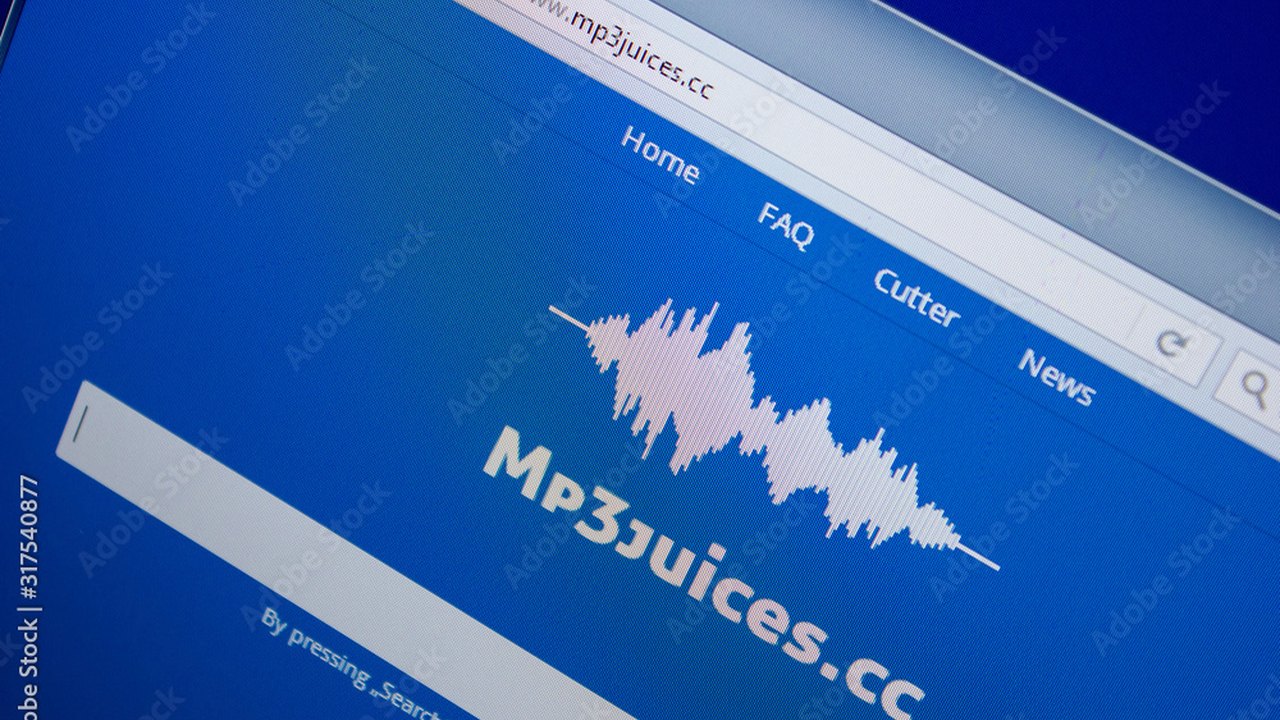
The Mp3Juice page I reviewed lets you find a recording in your browser and save it as an MP3. I'd use it for an occasional recording I have permission to keep. It's quick, but there isn't much to configure for the next download. If you're building a library, bitrate controls and a filename template are worth having.
I went looking for a live version of a song to play on my phone during a flight. Only the studio cut was available to stream. When I searched for Mp3Juice by name, several domains looked close enough that I nearly opened the wrong one.
That made the address bar my first stop, before the search box or the format menu. The rest of this review follows the same order I did: find the right recording, check whether you can save it, choose a format and locate the file. If something stalls, where it stopped matters.
Which Mp3Juice page am I reviewing?
This review covers www-mp3juice.com.co only. Several sites use almost the same name. If another domain advertises free downloads, no sign-up or a particular format, that promise doesn't tell you what this page offers.
Page address, cost, account requirements and download limits
I couldn't verify a price, an account requirement or a daily download cap for this domain. If any of those would affect whether you use it regularly, check the terms on the page rather than relying on a similarly named site.
Before typing a query, read the domain in your browser's address bar. If you arrived through a search result, an ad or a forum link, retype the address you meant to visit or use a bookmark you saved yourself.
I spent a few minutes comparing addresses and still wasn't entirely sure I'd picked the right one. That's a problem with the shared name rather than a flaw in any one page. Once you've checked the address, a bookmark saves you doing it again.
How do I find the right recording on Mp3Juice?
Start with the artist and title, then specify the version you want. A source link can work instead if the page says it accepts one. Before saving, compare the running time and listen to the preview if there is one.
Start with the title and artist, then add the version
The artist and full title gave me the most precise starting point for a text search. For the concert recording, I added “live,” along with the venue or year if I knew it. The same applies to a remix, cover, acoustic take or remaster: put the word in the query. Leave it out and you may get the studio cut or a recording that sounds nothing like the one you remember.
My search pattern is artist, track title, version word. If nothing turns up, remove the version word and scan the results. Keep the full title rather than cutting it down to one word.
Use a source link when the page accepts it
Some tools let you paste a link from another platform instead of typing a search. The advantage is that the link points to a specific upload, so you don't have to distinguish between recordings with similar titles. Check which sources the input field supports first. If it doesn't say, you won't know whether a failed search means the tool is broken or it simply doesn't accept that link.
Match artist, duration and preview before saving
If I kept just one check, it would be this one. Match the artist, then look at the running time: a 3:40 studio cut is easy to distinguish from a 5:15 live take while the results are in front of you, less so once the file is on your phone. If there's a preview, play ten seconds. Crowd noise, a spoken introduction or a slower tempo can give the live version away immediately.
Am I allowed to download that recording?
Finding the recording doesn't give you permission to copy it. Check the rights that apply to that particular recording, the conditions of its license and the terms of the platform it came from.
Look for permission covering the recording, not just the song
The composition is the written work: the melody and lyrics. The sound recording is a particular performance that someone captured and released. They have separate rights.
A Beethoven piano sonata, for example, is in the public domain. Anyone may perform it or print the score. A modern pianist's recording of the same sonata has its own sound recording copyright. Check the performance you actually found: the recording might itself be in the public domain, carry a Creative Commons license with conditions or be marked all rights reserved.
Distinguish offline listening from reuse in a video
Playing a track on a flight and using it as background music in a video you publish are different uses. Licenses often distinguish between them. A Creative Commons license may allow sharing but require credit, for example, or prohibit commercial use. Read the license on the source page with your intended use in mind.
Prefer the creator's download link when one exists
Many artists offer a free download or link to a store from their own page. That's the link I'd use first. You get the file the artist intended, usually with the right tags, and the offer comes from the creator. A third-party page is my fallback.
Which format and bitrate should I pick?
Pick MP3 if you just want to listen. If you also want the picture, choose MP4 when it's available. For two MP3s of the same duration, the higher bitrate takes up more space; it won't bring back detail missing from the source.
MP3 for sound, MP4 when you want the picture
An MP3 plays music on almost any device. For a concert where watching the band is part of the appeal, MP4 makes sense, though the file will be much larger. If a result offers only one format, that's a limitation of the source rather than a setting you missed.
128 versus 320 kbps: the storage trade-off
Multiply bitrate by duration to estimate file size. At 128 kbps, an MP3 uses 16 KB per second. Four minutes is 240 seconds, which comes to about 3,840 KB, or 3.84 MB. At 320 kbps, the same track uses 40 KB per second: 9,600 KB, or 9.6 MB in total. Neither estimate includes artwork or tags.
Here's how that adds up on a phone:
| Tracks (four minutes each) | At 128 kbps | At 320 kbps |
|---|---|---|
| 1 | 3.84 MB | 9.6 MB |
| 20 | 76.8 MB | 192 MB |
| 100 | 384 MB | 960 MB |
For a 20-track road-trip playlist, either bitrate is manageable. At 100 tracks, the 320 kbps library takes up nearly a gigabyte, enough to matter on a phone that's already close to full. If the page displays a file size, use that figure rather than the estimate.
Why a higher bitrate cannot repair a poor source
If the original upload is noisy or has already lost detail to compression, a 320 kbps export preserves those flaws in a larger file. When a track sounds thin in the preview, look for a better recording rather than a higher number in the format menu.
Where does the file go after I save it?
Once you've chosen a format and saved the file, check your browser's downloads list. On an iPhone, look in Files. A downloaded MP3 doesn't automatically appear in your music library.
Confirm the filename and extension before saving
When the browser displays the filename or asks you to confirm it, check the ending. You want .mp3 or .mp4. If you expected media and see .exe, .apk, .dmg or .zip, stop. A glance here can prevent most of the trouble that comes from opening the wrong file.
Filenames are where I started to miss the controls of a desktop tool. Desktop downloaders generally let you set a naming template such as artist-title-year; a browser page generally doesn't. The browser decides the filename and folder. You can rename each file afterward, but that's a lot of manual work if you save tracks regularly.
Find an iPhone download in Files
Open Files and look in Downloads, or in the folder Safari is set to use. Tap the file to play it. If you'd rather use a music app, you'll need to move or import the track; Apple's music library won't do that for you. I found this the least obvious part of the process. If you're looking in your music library, a successful download can look like a failed one.
Use download history on Android or desktop
On Android, check the browser's downloads list or open Downloads in the Files app. On a computer, find the entry in the browser's download manager and choose “show in folder.” It's quicker than searching the drive.
How do I check playback and tags in VLC?
Open the file in VLC media player and listen to the first thirty seconds before checking the tags. If you hear the right performance but see the wrong artist, you have a tag problem. If you hear the wrong performance, it's the recording you need to replace.
Incorrect tags versus the wrong recording
Music players read ID3 tags embedded in the file rather than taking the title from its name. That's why live-version.mp3 can appear under a completely different title in your music app. I check in this order:
- Play the file. Is it the performance you wanted?
- Compare its running time with the length you expected.
- In VLC, choose Tools, then Media Information (Ctrl+I on Windows). Check the artist, title and album fields.
If the recording is right, correct any bad tags in a media manager. If the audio is wrong, return to the results and choose another recording. Confusing the two is an easy way to spend an evening replacing a perfectly good file.
What do I do when an Mp3Juice search or download stalls?
Start with the last thing that worked. Did you find the recording? Could you choose a format? Did the browser start transferring the file? Troubleshoot where the process stopped rather than starting over. If the browser says the download is complete, look for the file before trying again.
No match
Remove the version word first, then the subtitle. Try just the artist and the core title. If you pasted a link, check for a stray character in the address and make sure the field accepts links from that source.
No format offered
An unavailable source and an unsupported link can look the same: neither gives you a format to choose. Type a search for the same recording. If it turns up that way, the link was the problem.
Save interrupted
Read the browser's message. A lost connection, insufficient space and a blocked download produce different messages. Check free space first, especially if you're trying to fit a 960 MB library on a nearly full phone. Then try once more on a steadier connection.
Wrong file type or unexpected installer
Don't open the file. Your browser doesn't need an extension, a separate app or permission to send notifications to save ordinary media. If you're asked for any of those, close the tab. I'd rather miss out on the song than run something I can't identify.
How does Mp3Juice compare with other ways to get offline audio?
A browser page is the quickest route for a single recording. For repeated downloads, I'd choose a desktop tool with settings I can keep. If the creator offers the file directly, I'd use that link over either one.
| Option | Best for | What you control | Main cost or risk |
|---|---|---|---|
| Browser page such as Mp3Juice | One-off saves | Format and quality offered on the page | You check the rights; few naming or tag options |
| Desktop MP3 downloader or converter | Repeat use | Bitrate, naming templates, folders and tags, depending on the tool | Time to install and configure it |
| Creator's own download link | Anything the artist offers | Few settings, but you get the intended file | Not always available |
| Streaming app offline mode | Convenience | Quality tier in the app settings | Requires a subscription; tracks stay in the app |
A streaming subscription buys offline listening inside the app. A saved MP3 takes up storage instead, but you can play it anywhere. If you download it over mobile data, you use that data once, when you save the track. The better choice depends on which cost matters more to you.
My verdict on Mp3Juice
I'd use Mp3Juice for one recording I have the right to keep and want to hear offline. Its main strength is how little time it takes to get from a search to a playable file.
I wouldn't build a library around it. I looked at format and bitrate choices, naming templates, metadata, how easily I could work from the keyboard, and export options. With a browser page, you're limited to the controls on screen. I also couldn't confirm this domain's pricing, account rules or download limits. Checking the rights remains your responsibility.
If you try it, check the address first. Search by artist, title and version, compare the running time before you save, then open the file in VLC to check its tags. If that becomes a weekly routine, a desktop tool lets you set the bitrate and filename template once.
FAQ
Is Mp3Juice free, and do I need an account?
I couldn't verify pricing, account requirements or usage limits for www-mp3juice.com.co. Check the terms on that domain; a description of a similarly named site isn't a reliable answer.
Can I paste a YouTube link instead of typing a song title?
Only if the input field lists YouTube as a supported source and you have permission to download the recording. Being able to play a video on YouTube doesn't by itself mean you may download or convert it.
How much space does a four-minute MP3 need?
At a constant 128 kbps, about 3.84 MB. At 320 kbps, the same four minutes takes about 9.6 MB. Those figures exclude artwork and other metadata, so use the displayed file size if there is one.
If the composition is public domain, can I download any performance of it?
Not necessarily. A newer recording can have its own copyright even when the composition is in the public domain. Check the rights status or license of the performance you found.
Why does my download show the wrong artist in my music player?
The player may be displaying embedded artist and title tags rather than the filename. Listen first. If it's the recording you wanted, correct the tags in a media manager.
Should I install an extension or enable notifications to save an MP3?
No. A browser needs neither to save an ordinary media file. Dismiss unexpected prompts. If you can't distinguish the download from an installer or an ad, leave the page.