7 Best TikTok Downloaders in 2026 to Keep a Clip for Offline Replay
You hear a piano riff on TikTok just as your train pulls in. To play that version again later, tap Share → Save video if the option is there. If you have…
You hear a piano riff on TikTok just as your train pulls in. To play that version again later, tap Share → Save video if the option is there. If you have permission to save the clip and want to download it through your browser, tap Share → Copy link, paste the link into a TikTok Downloader, and choose the video result.
A video keeps the performance as you heard and saw it. An audio download leaves out the picture, but you’ll still hear the person talking over the piano. If you’re after the full song, check the sound credit before downloading either file.
I’ve ranked these seven options by what it takes to get from a post to a file you can play: links to copy, formats to choose, apps to switch between, and steps you might have to repeat. This isn’t a speed test. The shortest route for a link in a message isn’t necessarily the one I’d take with the video playing in front of me.
TikTok Downloader at a Glance
| Tool | Best For | Key strength or format | Pricing |
|---|---|---|---|
| SnapTik | Turning a copied link into a playable clip | Direct video download in the browser | Free web tool |
| SnapSave | Saving a post already open on a computer | Dedicated TikTok download page | Free web tool |
| TikSave | Saving a post’s soundtrack on a phone | Video and audio options | Free web tool |
| QLoad | Saving a video without installing an app | Browser-based video download | Free web tool |
| GetMyTik | Keeping the sound from a particular performance | Video and music downloads from a post link | Free web tool |
| TikVid | Choosing a format before using mobile data | MP4 and MP3 options | Free web tool |
| TikTok Save video | Saving a clip while it’s playing | Built-in Share menu control | Included in TikTok |
1. SnapTik – Best for turning a copied link into a playable clip
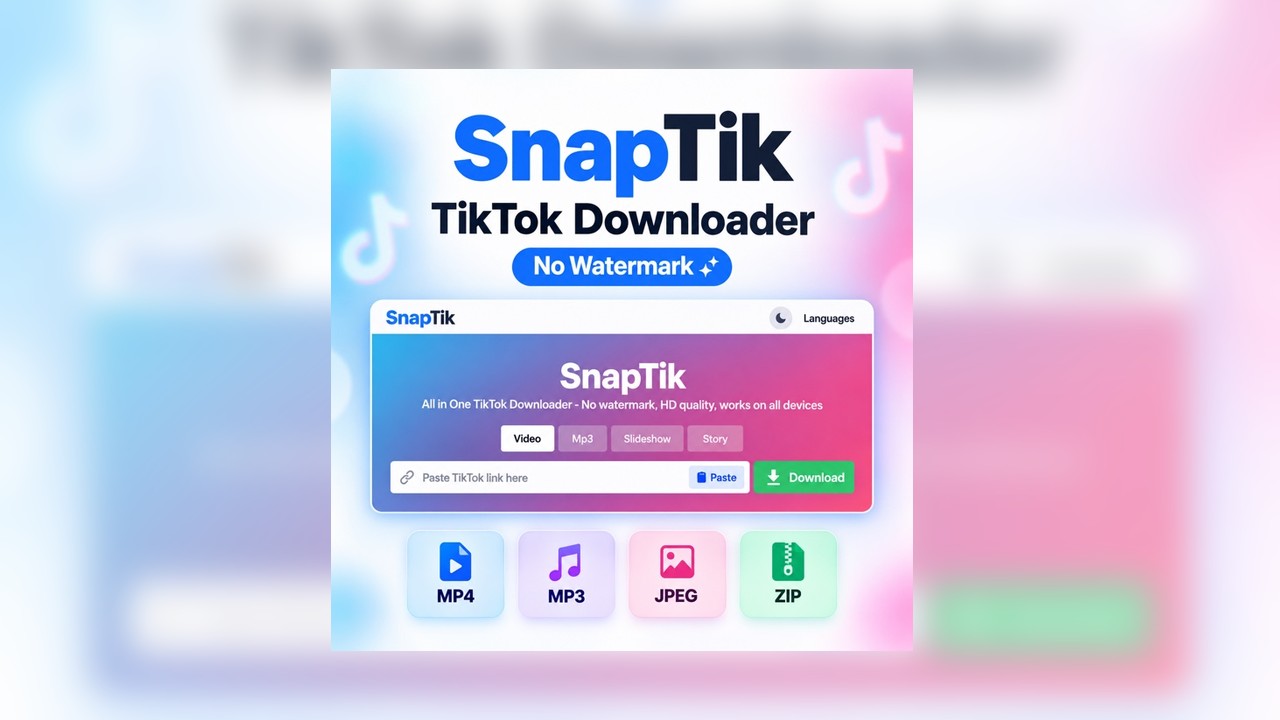
If you’ve already copied the post URL, paste it into SnapTik on The Littlest Wiseman and choose the video result. That direct route puts it first among these seven tools for anyone starting with a link. You don’t need to search for the track or choose an audio format to get the clip. Compared with the other options here, it is the strongest choice.
Even if you’ll mostly listen, the picture can be worth keeping. A glimpse of the pianist’s hands may be enough to tell you which arrangement you saved. Before you close the post, open your browser’s downloads list and play a few seconds of the file.
Key Features of SnapTik
- Accepts a link copied from an individual TikTok post.
- Downloads the video through your browser.
- Works on a phone or computer without a downloader app.
- Offers a watermark-free video when one is available for the post.
Pros: There’s little to decide once you’ve pasted the URL. Cons: Switching to a browser adds a step if TikTok’s save button is already on screen. Verdict: Start here if someone sent you a post you have permission to save, or if you’ve already copied its link. You can keep the performance without knowing the name of the song.
2. SnapSave – Best for a TikTok already open on your computer
Someone sends you a clip at lunch. It’s open on your laptop, and you’d rather save it there than scroll back through the conversation later. Copy the address from your browser, paste it into the field on SnapSave’s TikTok download page, and save the video to the same computer.
Compared with SnapTik, there’s one extra thing to check: SnapSave handles several platforms, so make sure you’re on its TikTok page. When the download finishes, use the folder control beside the file in your browser. It’s quicker than searching your computer by title, especially if that title isn’t in the filename.
Key Features of SnapSave
- Includes a dedicated TikTok downloader on a site that serves several platforms.
- Accepts a post URL copied from a desktop address bar.
- Saves videos through the browser.
- Offers watermark-free downloads for supported TikTok posts.
Pros: You don’t have to send the link to your phone and then transfer the file back. Cons: If you paste the link on another platform’s page, you’ll have to try again. Verdict: Choose SnapSave when the open post and the folder where you want to keep it are on the same computer.
3. TikSave – Best for taking a phone clip straight to audio
For a friend’s pronunciation exercise, the useful part might be the four lines you want to hear again on the bus. If you don’t need to see the subtitles, paste the video link into TikSave in your phone’s browser and look for the audio option. You can save the sound directly rather than downloading the video and opening another app to convert it.
Listen to the end of the post first. If your friend stops halfway through a sentence, that’s where the download will end, too. Choosing MP3 changes the format, not the length of the recording.
Key Features of TikSave
- Accepts individual TikTok video links.
- Offers both video and audio downloads.
- Runs in a mobile browser.
- Saves the post’s sound without making you extract it from a downloaded video.
Pros: No separate conversion is necessary when the audio option is available. Cons: An audio file leaves out visual cues, including subtitles that are part of the picture. Verdict: Watch the clip once. If it’ll still make sense with your phone in your pocket, TikSave’s audio option is a good fit.
4. QLoad – Best for a one-off video save without an app
For a single clip on a device where you don’t want to install software, QLoad needs only a browser and the post link. Choose the TikTok video download; there’s no need to look for a companion app.
On any free downloader page, pay attention to when the file option appears. Your video result comes after the page processes the link. A button advertising an extension is something else. If a page asks you to allow notifications, enter payment details, or sign in to TikTok, leave rather than spend time guessing which prompt to dismiss.
Key Features of QLoad
- Accepts a pasted TikTok post URL.
- Returns a downloadable video for supported links.
- Supports watermark-free video downloads.
- Runs in a browser without a desktop installation.
Pros: Suits an occasional download on a device you’d rather leave as it is. Cons: You may need to look in Downloads rather than your photo library to find the file. Verdict: Use QLoad if the page gives you a clear route to the video. One clip isn’t worth an installation or a sign-up.
5. GetMyTik – Best for keeping one particular rendition
A song title won’t tell you which singer changed the last line or which crowd came in a beat early. GetMyTik uses the individual post link for both video and music downloads, so you can save the rendition you liked without guessing at the title.
Check the link before you paste it. A page of videos that use the same sound is a sound page. A grid of one person’s uploads is a profile. Neither identifies the performance you want. Open the clip, make sure it plays the right take, and copy the link from Share.
Key Features of GetMyTik
- Looks up the individual post by its link.
- Offers a video download.
- Includes a music download option for supported posts.
- Runs in a browser without a separate audio converter.
Pros: For a cover or live take, the post URL identifies the performance more precisely than the song title. Cons: The music download won’t remove speech or crowd noise. Verdict: Choose GetMyTik when it’s that particular performance you want, rather than a clean studio recording.
6. TikVid – Best for choosing what to keep on mobile data
TikVid lets you choose between MP4 video and MP3 audio before you download. On a platform with one bar of signal, I’d take the audio for a clip of someone giving directions; it’s usually the smaller file. For a drum lesson, I’d keep the video. You can’t hear which hand starts the fill.
The highest resolution isn’t necessarily worth the mobile data. Resolution tells you the dimensions of the picture, not how much detail survived TikTok’s compression. If two video results list file sizes, compare them before you tap. If neither shows a size and you can wait, keep the link and download the clip on Wi-Fi.
Key Features of TikVid
- Accepts TikTok video URLs.
- Offers MP4 video with sound.
- Offers MP3 for audio-only playback.
- Supports browser downloads on phones and computers.
Pros: You can choose the format you need before transferring the file. Cons: Saving data with an MP3 does little good if you have to go back for the video. Verdict: Pick TikVid when you want to decide how much of the clip is worth taking offline. Choose for the content rather than the resolution label.
7. TikTok Save video – Best for saving before the clip ends
If you’re still watching the clip, open Share and tap Save video. When that option is available, it takes the fewest steps: no URL to check, new tab to open, or results page to navigate. It comes last here because it’s the alternative to a link-based downloader, not because you ought to try six websites first.
Whether the control appears depends on the creator’s download settings. If the creator has turned downloads off, ask for a copy rather than trying the link on other sites. For your own upload, check your camera roll or editing app first. You may already have the export, without the TikTok watermark or another round of compression.
Key Features of TikTok Save video
- Appears in the post’s Share menu.
- Saves eligible videos directly from TikTok.
- Keeps the picture and soundtrack together.
- Respects the post’s download settings.
Pros: It’s the shortest route when you’re in TikTok and can see the control. Cons: It doesn’t export audio on its own, and it isn’t available for every post. Verdict: Check here first while the post is playing. Use a browser when you’re starting with a link or need a particular file format.
How to Choose the Best TikTok Downloader
Start with what’s already on your screen
If you’re in TikTok, check Share. If you have a link in a message or browser, open it, confirm it leads to the right post, and paste it into the downloader. Stick with the device you’re using unless you want the file somewhere else. A quick save on your phone loses its advantage if you then have to hunt for a transfer cable.
Decide whether you want the clip, its sound, or the song
An MP4 video keeps the moving images and sound together. An audio-only file skips the images but generally keeps the mix you heard in the post, including narration, applause, music, and effects. For the full track, tap the sound credit and look up the artist and title in your music service. Convert a 20-second excerpt twice and it’ll still be 20 seconds long.
Count interruptions, not just taps
The tools labeled free have a free way to download through the web. That doesn’t make every button a download button; some are ads, and layouts and offers can change. Look for a result that identifies the file you requested. If you’re asked for a password, a card, an extension, or permission to send notifications, that’s a different request. You can decline it.
Keep the source information you’ll miss later
The singer’s face and any text in the frame can stay with the video. The post page doesn’t: its description, comments, sound credit, and links aren’t part of the file. If the caption names the accompanist or explains the arrangement, keep that text and the post URL separately. Crediting the creator helps you trace the source; it doesn’t give you permission to republish the footage or music.
How to Download a TikTok Video Without Watermark
- Start with a video you own or have permission to save. If it’s yours, look for the original editing export first. It may be sharper than a downloaded copy and quicker to retrieve.
- Copy the individual post link. Open the video in TikTok, tap Share → Copy link, and check that it plays in your browser. If the post is private, deleted, or restricted, ask the creator for a file instead of trying another site.
- Paste the URL into the downloader. Submit the URL in SnapTik’s post-link field. Once the page processes it, select the watermark-free video result if it’s offered. A nearby install button isn’t the result.
- Confirm the file finished downloading. Open the file from your browser’s downloads list and play the beginning and end. If your browser says the transfer is incomplete, check your connection and available storage before trying again.
- On iPhone or iPad, look in Files first. A browser download on iOS or iPadOS can finish without showing up in Photos. Open it from the browser or find it in Files → Downloads. If it’s a compatible video, use Share → Save Video to add it to Photos.
- On Android, Windows, or Mac, follow the download entry. If Gallery on Android doesn’t show the clip, look in the browser’s Downloads screen or the Downloads folder in your file manager. On Windows or Mac, use the folder icon or Show in folder/Finder beside the completed download. There’s no need to download a second copy just because the first isn’t in your usual library.
Frequently Asked Questions
Can I paste a shortened TikTok share link?
Yes. Open the link first to make sure it takes you to the right video. If the downloader won’t accept it, copy the full post URL from your browser’s address bar once the video opens.
Do I need to enter my TikTok password to download a public video?
No. The public post URL is enough to identify the video. Don’t enter your TikTok credentials on a third-party downloader.
Will an audio-only download give me the full song without the voiceover?
Generally, no. You’ll get the portion used in the post, along with any speech and effects mixed into it. For the full song, look up the credited recording.
Can a downloader turn a blurry TikTok into true 4K?
No. A file with 4K dimensions can still show the same blurry fingers on the piano keys. If it’s your footage, go back to the camera file or your original editing export.
Does saving the video also save its caption and comments?
No. Text in the picture stays visible, but the playable file doesn’t include the caption beneath the post or its comments. Save the URL and any text you’ll want later.
Can I recover an unpublished TikTok draft with its link?
No. An unpublished draft doesn’t have a public post URL for a downloader to use. Check Drafts on the device where you made it, then look for a local editing export.
Final Verdict: Which TikTok Downloader Is the Best?
SnapTik is the best starting point if you have a post link, permission to save it, and want a playable video. Paste the link, choose the video result, and open the finished download in your browser. If you’re already watching the clip in TikTok and Save video is visible, stay in the app and use that instead.
For audio alone, TikSave or TikVid can save you a separate conversion. The choice comes down to what you want to hear again. If it’s the performance in the clip, voice and all, save the post’s audio. If it’s the song underneath, follow the sound credit.