10 Best TikTok Downloaders in 2026 for Saving Clips Without a Fee
SnapTik is the first TikTok Downloader I’d try for a clip I have permission to save without a watermark. For offline viewing, though, I’d start in TikTok…
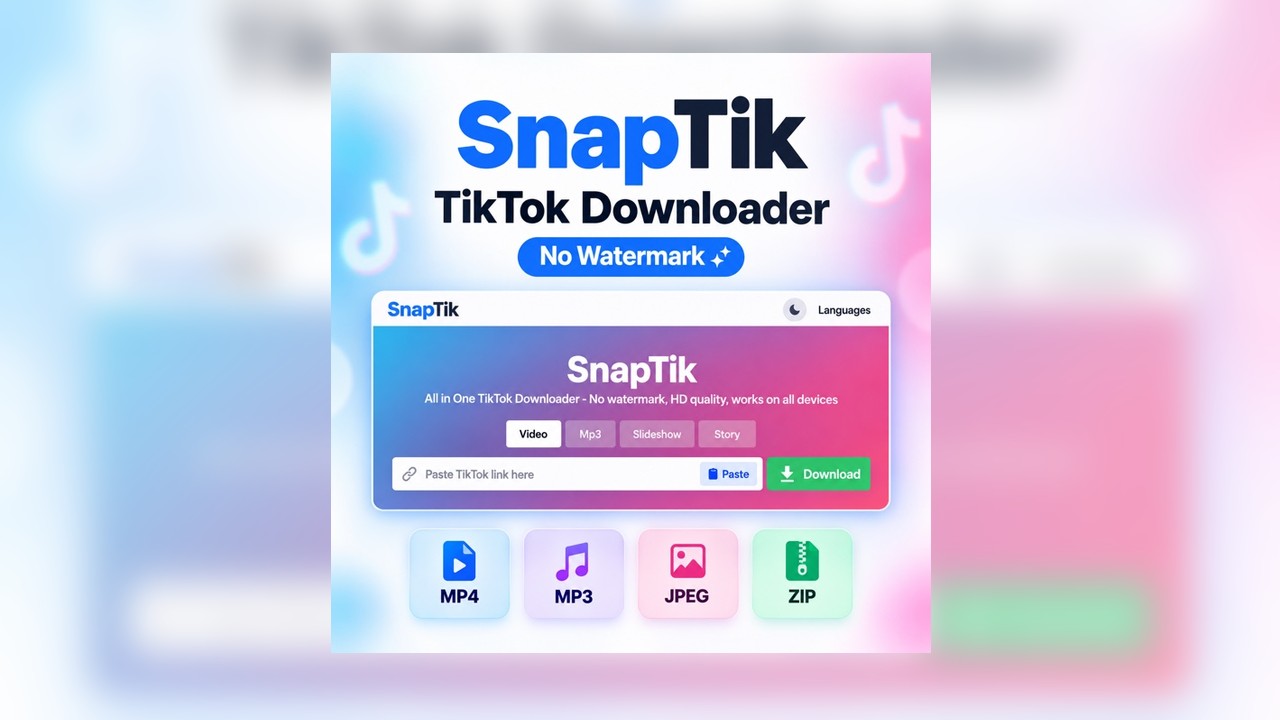
SnapTik is the first TikTok Downloader I’d try for a clip I have permission to save without a watermark. For offline viewing, though, I’d start in TikTok itself. Its Save video option usually keeps the creator’s handle on screen.
This list covers dedicated TikTok download sites, browser tools that also save audio and TikTok’s in-app download. The choice comes down to what you need on your device: a playable video, just the sound or a copy that keeps TikTok’s visible credit.
I ranked the tools by what you can do before paying, installing an app or creating an account. A free download counts if you get a file you can open. A preview followed by a checkout page doesn’t. Here, “free” refers to the basic download, not a verified promise of unlimited daily use. If a site leaves its limits, trial terms or renewal price unclear, don’t assume the terms are favorable.
TikTok Downloader at a Glance
| Tool | Best For | Key strength or format | Pricing |
|---|---|---|---|
| SnapTik | One watermark-free video | Download a video from its post link | Free web download |
| TikMate | Occasional saves on a phone | Paste a link in a mobile browser | Free web download |
| TikWM | Comparing video versions | Quality choices when available | Free basic web download |
| MusicallyDown | Choosing sound or video | MP3 or MP4 | Free web download |
| SaveTik.co | Saving a video in a browser | Accepts public post links | Free web download |
| TikDown | Keeping picture and narration together | Video and audio options | Free web download |
| TTSave.APP | Matching a file to its post | Creator details alongside download choices | Free web download |
| TikTokio | Saving sound without a converter | Separate audio download | Free web download |
| ExpertsPHP | Saving a clip on a computer | TikTok-specific download page | Free web download |
| TikTok Save video | Offline viewing with attribution | In-app save subject to the creator’s settings | Included in TikTok |
1. SnapTik – Best for a clean MP4 without a subscription
SnapTik is my first choice among these ten for one job: saving a public TikTok video without the TikTok watermark. Paste the post URL into the free web form. You don’t have to pick an audio format, install a desktop utility or sign up for a trial. One detail worth checking: the link goes to The Littlest Wiseman (snaptik.com.lc). Check the domain rather than going by a familiar name in search results. Compared with the other options here, it is the strongest choice.
SnapTik suits someone who has permission to save one clip, not someone looking to archive an account. Before you close the post, save its URL and the creator’s handle. An unobstructed frame may be what you need for an approved edit, but the handle is also the clearest reminder of who made it.
Key Features of SnapTik
- Accepts a copied TikTok post link.
- Downloads supported videos without a watermark.
- Works in a phone or desktop browser.
- Requires no paid subscription for basic web use.
Pros: Few steps between a permitted post and a local video file. Cons: The file loses its visible attribution. Having a copy doesn’t give you reuse rights. Verdict: Start here for one authorized MP4. Use TikTok’s own save option if you want to keep the handle on screen.
2. TikMate – Best for occasional saves on a phone
If you save a clip only now and then, a dedicated app would spend most of its time unused. With TikMate, you can copy the post link in TikTok, switch to your phone’s browser and paste it into the form. There’s nothing to install.
Finding the file can take longer than downloading it. Unlike a clip saved through TikTok, a browser download may not appear with your camera photos. Before you tap the download button again, check your browser’s downloads list. On an iPhone, the first copy may already be in Files.
Key Features of TikMate
- Accepts shared TikTok links.
- Downloads video through the browser.
- Saves supported clips without a watermark.
- Requires no dedicated mobile app.
Pros: Handy for infrequent downloads on a phone. Cons: Moving the file into Photos may take another step. Verdict: Choose TikMate for convenience on mobile. The source video is still the same.
3. TikWM – Best for comparing available video versions
When a tutorial’s on-screen text is hard to read in a standard download, try TikWM. Depending on the post, it may offer a higher-quality version. That choice matters less if you only want to listen. And a larger file with an HD label isn’t necessarily a clearer one.
Pause both copies at the same frame. Compare the edge of a letter, the numbers on a price tag or a fine line in a diagram. Then check the frame dimensions in each file’s details. If the same details are blurry in both, keep the smaller file. Extra bytes can’t bring back detail missing from the upload.
Key Features of TikWM
- Finds videos by TikTok link.
- Downloads video through the browser.
- May offer both standard and higher-quality versions.
- Provides separate access to the music on supported posts.
Pros: When two versions are available, you can judge the picture rather than trust an HD badge. Cons: Not every post has a higher-quality version. Verdict: Try TikWM when the clip is useful only if you can read what’s on screen.
4. MusicallyDown – Best for choosing between MP3 and MP4
MusicallyDown lets you choose MP3 or MP4 at download time. For a spoken pronunciation example, an MP3 may be all you need, provided you have permission to keep the sound. For sign language, choose MP4. The same goes for a demonstration that depends on a gesture or an on-screen caption.
What you hear in the post isn’t necessarily the original song. The creator may speak over the music, cut it off halfway through a verse or speed up a passage. Saving the audio separately doesn’t reverse those edits.
Key Features of MusicallyDown
- Accepts a TikTok share link.
- Offers MP4 video for supported posts.
- Includes an MP3 download option.
- Lets you choose the format in your browser.
Pros: No separate conversion step for sound alone. Cons: An audio download gives you neither an isolated studio track nor a music license. Verdict: A good fit when you know whether you need the picture or the sound and have permission to keep it.
5. SaveTik.co – Best for a second browser-only route
If a public clip opens in TikTok and you have permission to save it, but another downloader can’t process the link, SaveTik.co is a reasonable fallback. Like SnapTik, it takes a post address and returns a video you can download. Switching sites doesn’t change what you’re allowed to save.
First, open the copied link in a fresh browser tab. If you land on the creator’s profile, go back to the video and copy the link from its Share menu. If the post is private, deleted or download-restricted, stop rather than trying more services.
Key Features of SaveTik.co
- Accepts individual TikTok post URLs.
- Works in desktop and mobile browsers.
- Offers watermark-free video for supported links.
- Lets you download a single video for free.
Pros: A fallback that doesn’t require installing software. Cons: You’re sending the post URL to another site, which may return the same result. Verdict: Try SaveTik.co for a link-processing problem, not a permission issue.
6. TikDown – Best for saving a narrated demonstration
TikDown lets you save video or audio. For a narrated demonstration, I’d usually keep the video, even if the creator talks through every step. “Fold this edge over” won’t help much later if you can’t see which edge they mean. The video also keeps any captions embedded in the picture.
Check playback near the end as well as at the start. Watch for a hand tapping a countertop, a clap or a word you can see the creator say. If the sound and picture line up in the original but not in your copy, don’t use the download as a timing reference.
Key Features of TikDown
- Accepts shared links to individual posts.
- Offers a video download.
- Provides a separate audio option for supported clips.
- Works through a browser form.
Pros: Keep the whole demonstration or just the sound. Cons: A video download doesn’t guarantee a separate caption track you can turn on or off. Verdict: Useful for authorized instructional clips where the narration needs the picture to make sense.
7. TTSave.APP – Best for checking creator attribution
When several people have approved the use of their clips, it’s worth matching each file to its creator before you save it. TTSave.APP can display identifying details beside the download choices. That helps when two creators use the same sound or post footage that looks much the same.
Check the displayed username against the original post rather than relying on the profile picture. Keep the handle, post URL and creator’s credit instructions with the file. The username tells you which account posted the clip; it doesn’t establish who owns every image or piece of music in it.
Key Features of TTSave.APP
- Accepts a public TikTok post link.
- Shows post or creator details for supported results.
- Offers video with and without a watermark when both are available.
- Provides separate sound downloads.
Pros: You can check the account while the file is still tied to its post. Cons: Account details don’t resolve questions of ownership. Verdict: Choose TTSave.APP when the main concern is getting the credit right.
8. TikTokio – Best for a sound-only reference copy
TikTokio is an alternative to MusicallyDown if you only need audio. Choose the audio option and you won’t have to download a video, then send it to another website for conversion.
An authorized voice note, language exercise or sound cue can work well on its own. Listen to the beginning and end of the saved file: a loop that sounds continuous in TikTok may cut off abruptly when played by itself. If the words on screen matter too, keep the permitted video instead.
Key Features of TikTokio
- Accepts a TikTok video link.
- Offers an audio-only download.
- Also downloads video for supported posts.
- Requires no separate desktop converter.
Pros: You get the audio directly, without an intermediate video file. Cons: You lose on-screen text and visual context. Verdict: Use TikTokio for material you’re authorized to keep for listening, not in place of a licensed music source.
9. ExpertsPHP – Best for a desktop reference download
ExpertsPHP’s TikTok downloader is one of several browser tools on the site. On a computer, leave the original post open in one tab, paste its URL into the downloader in another, then open the saved file locally for a side-by-side check. There’s no need to send the clip through your phone.
The drawback is finding your way around a multi-tool site. Use the TikTok-specific form and look for a media result that matches the post you submitted. A button offering a browser extension isn’t your video. If you can’t identify the result, leave the page rather than installing anything.
Key Features of ExpertsPHP
- Has a dedicated TikTok downloader page.
- Accepts a copied video URL.
- Returns a video you can access in the browser for supported posts.
- Requires no desktop download application.
Pros: Convenient when you need the finished file on a computer. Cons: The wider site is less focused than a single-purpose download page. Verdict: A workable desktop option as long as you can identify the video result.
10. TikTok Save video – Best for respecting the creator’s settings
Open the TikTok Share menu and look for Save video. When it’s available, it’s the shortest route on this list to an offline viewing copy. The URL stays out of third-party services, and the saved video usually keeps the TikTok watermark and creator’s handle.
A creator can make a post public without enabling downloads. If Save video is missing, a third-party form isn’t permission to save the clip. Ask the creator for a copy instead. If you’re licensing the clip for publication, their original export may also be cleaner than any copy retrieved from a social platform.
Key Features of TikTok Save video
- Built into TikTok’s sharing controls.
- Availability depends on creator and platform settings.
- Saves supported videos to your device.
- Typically keeps the creator’s visible attribution.
Pros: No outside downloader and no additional payment. Cons: Saving isn’t always enabled, and the watermark may not suit an approved edit. Verdict: The best option for ordinary offline playback when the creator allows downloads.
How to Choose the Best TikTok Downloader
Count completed downloads, not previews
A free download should leave you with a file you can open. Check for a daily cap, a separate limit on HD downloads or a watermark-free option available only to subscribers. If the site doesn’t state a quota, the limit is unspecified, not unlimited.
Price the next tier at renewal
None of these single-clip tasks is a reason to enter card details just to find out whether a file works. If you see a paid offer, check how long the trial lasts, how often it renews and how much you’ll be charged. A monthly equivalent billed annually still commits you to the annual charge. If you can’t see the terms before checkout, choose another route.
Choose the watermark deliberately
For private viewing, the handle is a useful reminder of who made the clip. For an authorized presentation, you may prefer a clear frame with the credit printed beneath it. Make that choice before downloading. A “no watermark” label refers to the watermark; text the creator embedded in the picture may remain.
Reject unnecessary access requests
You shouldn’t need to give a third party your TikTok password, session details or contacts to submit a public post link. Decline notification prompts that have nothing to do with saving the file. If a button opens an unrelated site in a new tab, return to the result page rather than continuing there.
How to Download TikTok Videos Without a Watermark
- Confirm permission. Use your own post or one the creator allows you to download without its watermark. Get separate approval if you plan to edit or republish it.
- Copy the post address. Open the video, tap Share, then Copy link. Check that the address opens the clip itself, not the creator’s profile.
- Request the video. Paste the URL into the downloader you’ve chosen. Check the result against the original post and select video rather than audio.
- Save the actual file. Choose the watermark-free MP4 if it’s available. Your browser may start downloading immediately, ask where to put the file or open a media preview with its own save control.
- Find the copy. Look in iOS Files or Android Downloads. To add the MP4 to Photos on an iPhone, open the completed file in Files and choose Share > Save Video. On a computer, open the file’s folder from the browser’s downloads list.
- Check it before use. Play the file and compare its frame dimensions and audio sync with the original. Look in more than one corner for a moving watermark. Keep the source URL with your record of permission.
Frequently Asked Questions
How do I download a TikTok video without a watermark?
If you have permission to save the video, copy its share link into a browser downloader and choose the watermark-free video result. For your own work, use the original export if you have it. That avoids saving another copy processed by the platform.
What happens when I tap download, and how do I get the video into my gallery?
Your browser will usually save the file in its downloads folder or open a preview first. On an iPhone, open the saved file’s Share menu and choose Save Video. On Android, check Downloads if your gallery hasn’t indexed the MP4 yet.
Can I download any TikTok video?
No. Private, deleted, age-limited or download-restricted videos may be unavailable. Even if a downloader finds a file, that doesn’t override the creator’s wishes.
Does SoundTik store the link or video?
SoundTik gets access to the URL when you submit it. That doesn’t tell you how long it keeps links, video files or logs. Check its current privacy policy, and don’t submit sensitive material if the retention terms are unclear.
Does every TikTok download in 4K?
No. The result depends on the source resolution and the versions TikTok makes available. Check the dimensions of the downloaded file rather than taking a “4K” button at its word.
Can I download audio from TikTok?
Yes. For posts you’re authorized to save, MusicallyDown and TikTokio offer audio-only downloads. Permission to keep the clip doesn’t necessarily include permission to use its soundtrack in another production.
Do I need permission to use TikTok videos?
Keeping a copy for offline viewing is different from reposting it to an audience. Before you publish, check that your permission or license covers that use. Credit the creator by the agreed handle and include the original post link where practical.
Got the asset. Need the audience?
If you want viewers to find the creator, share the original TikTok post rather than uploading a duplicate. For an approved repost, put the credit where viewers can see it and make clear whose work they’re watching.
Final Verdict: Which TikTok Downloader Is the Best?
I’d start with SnapTik for a single authorized, watermark-free MP4 without a subscription. If there are two video versions to compare, TikWM is the better choice. If you need the sound rather than the picture, choose MusicallyDown.
For offline viewing, check Save video before you copy the link anywhere. The handle is often worth keeping, and using TikTok’s own download control is simpler for the viewer while respecting the creator’s settings.